NinjaTrader 8 desktop only
Features
NinjaTrader 8 chart trader tools for visual risk planning
CustomChartTrader focuses on the workflow that happens before and after the entry: define risk, preview the trade, size the position, place the order, and manage common exits from the NinjaTrader 8 chart.
Built for NinjaTrader 8 desktopNo TradingView or MetaTrader versionIndependent add-onMade for chart-side trade control
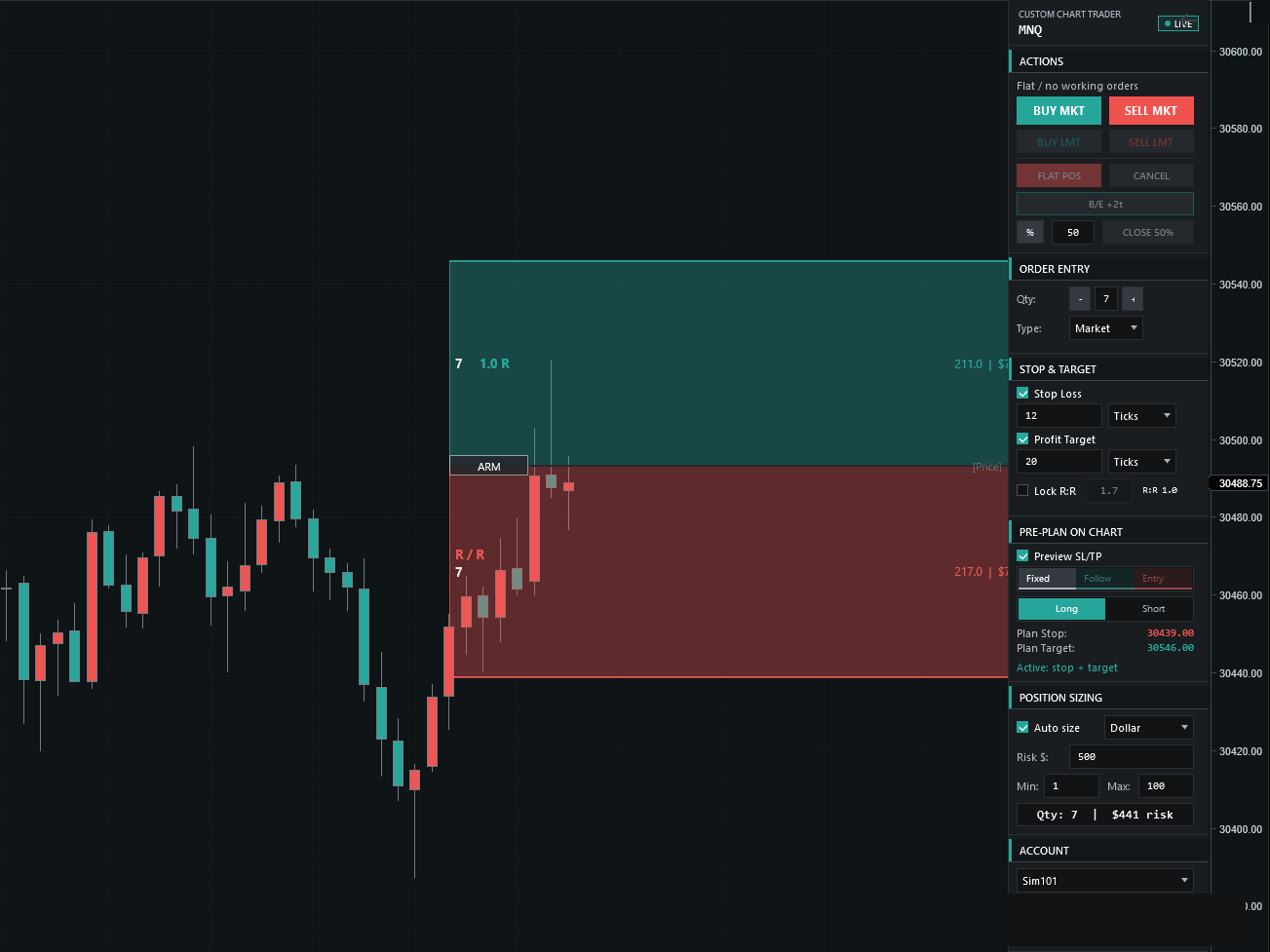
Plan the trade visually before entry
Risk sizing, R:R, stop/target control, break even
Main feature pillars
Build the trade directly on the chart
CustomChartTrader leads with the tools you'll use on every trade: risk-based sizing, R:R preview, and chart-side stop and target control. Clarity and discipline first — not a menu of features you'll never touch.
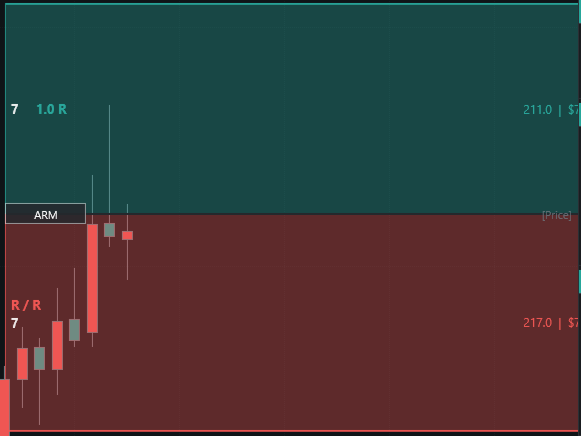
Visual trade planning
Preview entry, stop, and target levels before submitting the order. The chart shows the planned risk and reward zones so you can see the structure of the trade before you commit.
- Entry, stop, and target preview
- Chart-side risk and reward zones
- Planned stop and target labels
- R:R preview before entry
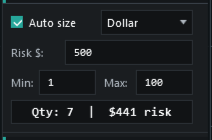
Risk-based position sizing
Instead of guessing contract size first, set the amount you are willing to risk and let CustomChartTrader calculate quantity from stop distance, tick value, and your min/max limits.
- Dollar risk mode
- Percent risk mode
- Min/max quantity limits
- Live quantity display
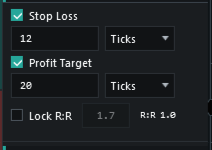
Stop and target planning
Stop loss and profit target controls sit in the panel, with tick-based settings and chart preview support. The trade is easier to review when risk, reward, and order entry are in the same place.
- Stop loss settings
- Profit target settings
- Tick-based controls
- Preview lines on chart
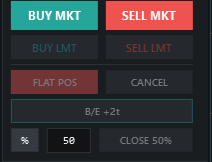
Common exit controls
Break even, close partial, flatten, and cancel controls are built into the panel so common trade-management actions stay near the price action.
- Break Even button
- Close Partial by percent
- Flatten position
- Cancel working orders
Workflow
The page follows the same order as the trade decision
Set risk and quantity rules
Place entry, stop, and target on the chart
Check R:R before committing
Manage stops, targets, and exits live
Visual first, not menu first
See the whole shape of the trade — entry, stop, target, and R:R — before the order ever goes live.
Clear roadmap boundary
ATM planning, market depth, indicator-attached exits, and execution analytics are on the roadmap. We list them as planned — never as included — until they're built and tested.
Technical fit
Built for NinjaTrader 8 desktop
CustomChartTrader runs as a NinjaTrader 8 Strategy with WPF controls and chart-side rendering. It is not a standalone app, broker platform, TradingView script, MetaTrader add-on, or signal service.
- NinjaTrader 8 desktop only
- Strategy-based panel
- Works inside chart workflow
- Requires your own broker/data setup
One-time licensing for a focused trading panel
Review the included tools and the roadmap boundary before the one-time purchase offer becomes available.