Plan the risk first
Set dollar or percent risk, define the stop distance, and let the panel calculate the contract quantity before the order goes live.
NinjaTrader 8 chart-side trading panel
CustomChartTrader brings risk sizing, R:R preview, stop/target planning, and trade-management controls directly beside your NinjaTrader 8 chart, so the order is built around the risk before it goes live.
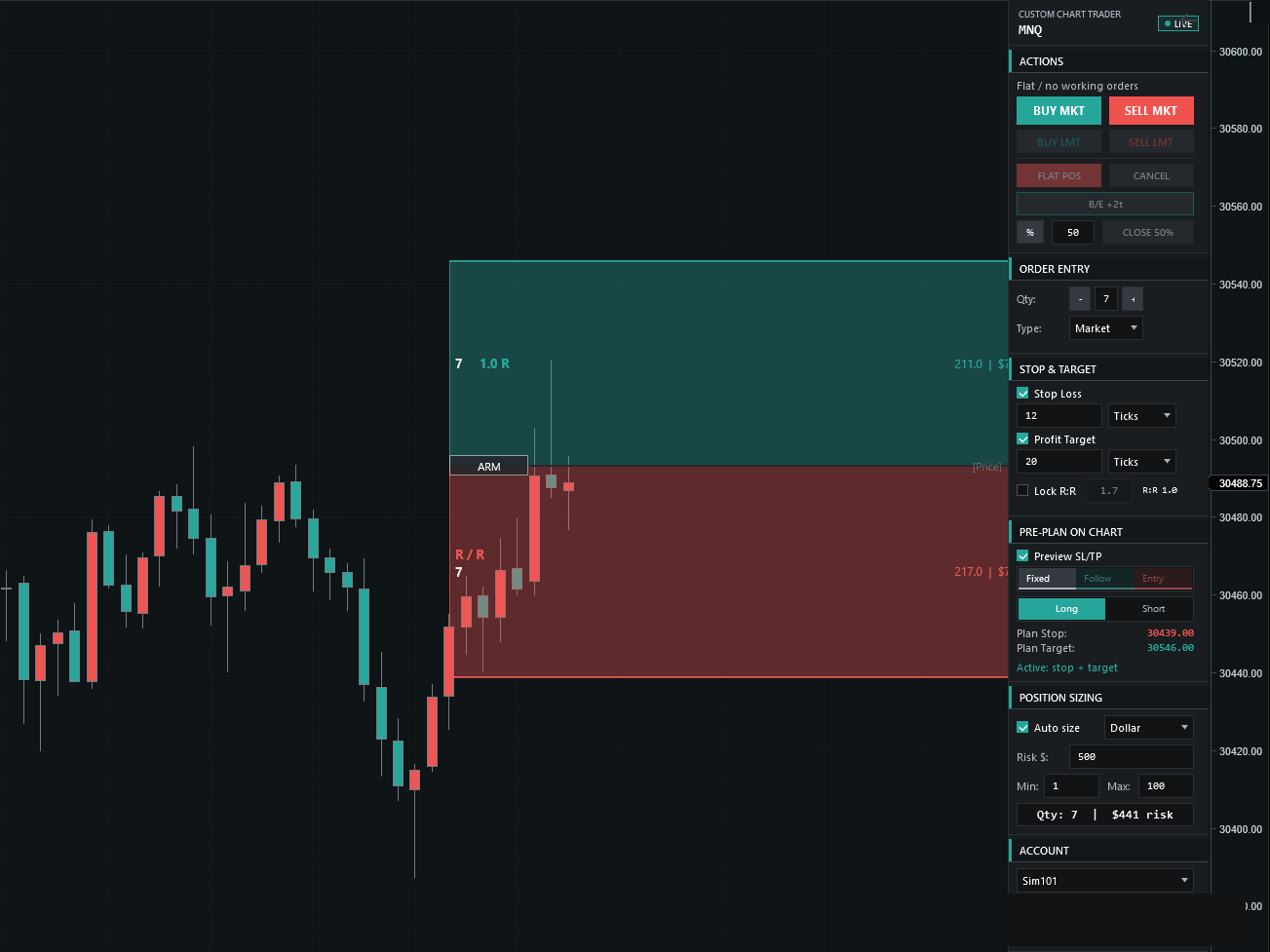
Set dollar or percent risk, define the stop distance, and let the panel calculate the contract quantity before the order goes live.
Preview entry, stop, target, and R:R directly on the chart instead of piecing the trade together from separate windows.
Break even, close partial, flatten, and cancel controls stay close to the chart for the moments when speed matters.
The launch offer is one product and one payment. No subscription table, no hidden tiers, and no planned features sold as finished.
Why it exists
Wrong account, wrong size, missing stop, unclear target, no R:R check. CustomChartTrader is built around that moment. It keeps the position size, entry plan, stop, target, and key exit controls in the same chart view.
Size every position from your dollar or percent risk, then see the R:R before you commit.
Place entry, stop, and target on the chart before the order is ever live.
Set and drag stops and targets in ticks, with preview lines on the chart.
Scale out by percentage or jump to break even in one click.
ATM planning is on the roadmap — listed as planned, never sold as included.
Workflow
One-time license
The first offer is one payment, not a subscription. The one-time price, what's included, delivery steps, and the refund policy are all shown on the pricing page.
FAQ preview
Yes. CustomChartTrader is built as a NinjaTrader 8 chart-side Strategy panel.
It runs as an NT8 Strategy so chart-side controls can sit inside the trading workflow.
The first offer is planned as one license purchased with one payment, with no recurring subscription.
Checkout, delivery instructions, license terms, and support details will be published before purchases open.
Purchase and delivery path
The launch offer will be a single payment. A customer area may later provide downloads, receipts, license help, and support.
Review the included features, purchase terms, installation flow, and risk disclosure before checkout opens.